Suzanne
3D modeling at the speed of thought
✽
Suzanne is a browser-based AI 3D modeling tool co-founded by Samantha Brown and Yehor Ivanenko, part of the Canopy Spring 2026 cohort at Founders, Inc. Users type a description, upload a photo, or speak aloud, and Suzanne generates an editable 3D model in the browser without installing any software.1 As of April 2026, the product is in beta, with support for conversational mesh editing, parametric sliders, and a full in-browser 3D editor.2 An AR and VR mode, compatible with Apple Vision Pro, Meta Quest 3, and Microsoft HoloLens 2, is listed as coming soon.1
Suzanne accepts three input types: text, photo, and voice.2 In text mode, a user types a description that can include dimensions, materials, and style cues; Suzanne generates geometry from that specification.2 In photo mode, users upload one reference image or up to four orthographic views from which Suzanne reconstructs the mesh; the documentation notes that neutral backgrounds and even lighting produce the best reconstructions.2 In voice mode, users tap a microphone button, describe the object aloud, and Suzanne transcribes the input and generates a preview while the user's hands stay free.2 Voice input requires microphone permission in the browser and, on iOS Safari, works only over HTTPS.2
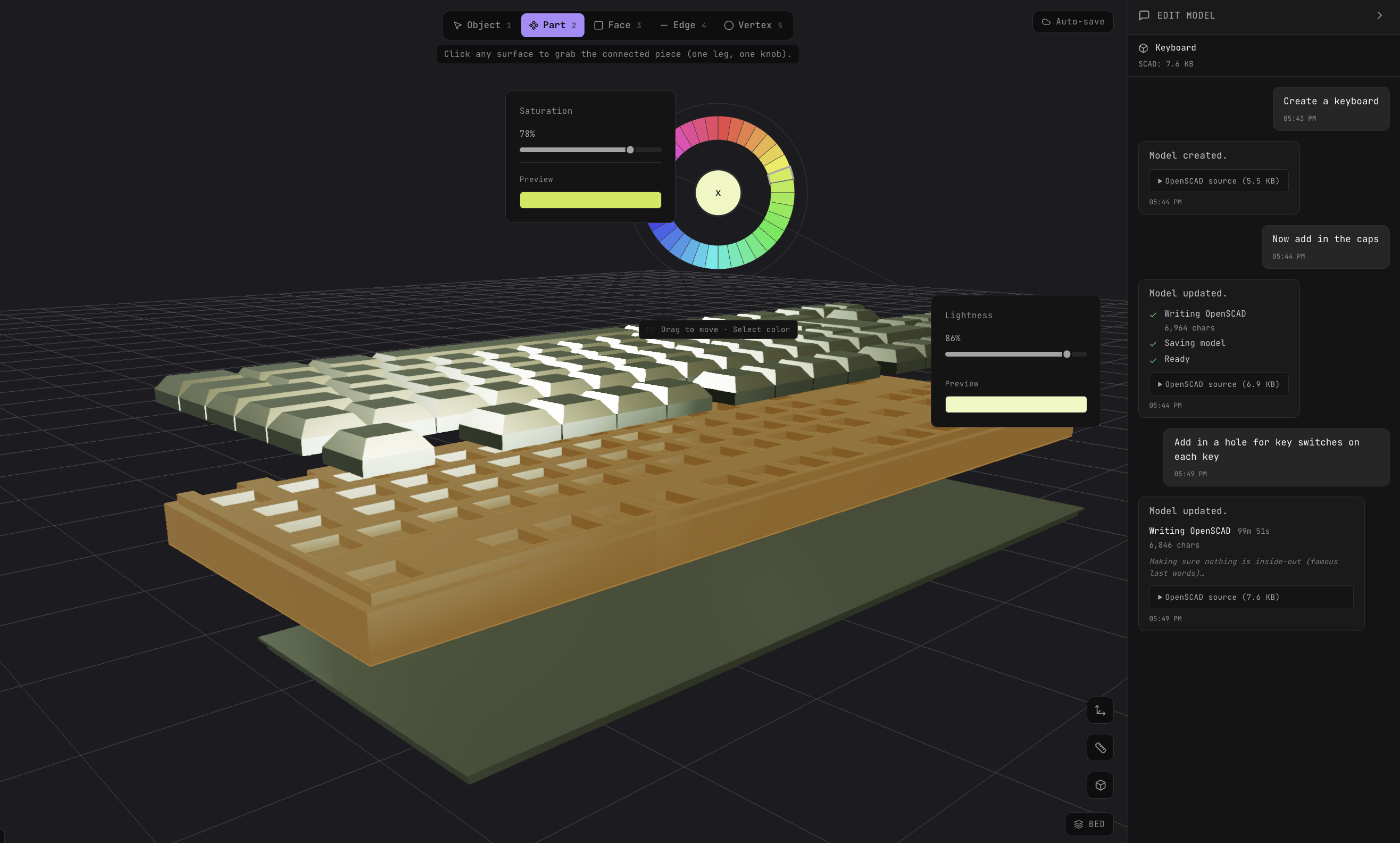
Suzanne includes a full 3D editor in the browser alongside the generation interface. The editor has primitives — box, sphere, cylinder, cone, and torus, among others — dropped directly into the viewport, as well as boolean operations (union, subtract, and intersect) for sculpting complex geometry.2 Mesh operations include mirror, duplicate, array, and keyboard-first transform controls.2 A material library covers matte, metallic, translucent, and custom PBR materials, swappable in one click.2
Parametric sliders adjust dimensions, detail, and style in real time.2 The product homepage shows three live parameters: scale (in millimeters), roughness (as a percentage), and detail level.1 The editor supports multi-select for operating on groups of objects at once, a fully branchable undo history with no destructive operations, and four camera modes: orbit, pan, first-person, and turntable.2
The conversational edit workflow lets users describe changes to a loaded model in plain English through a chat sidebar.2 Suzanne generates multi-angle preview views before rebuilding the mesh, and users confirm or request another attempt.2 Iteration on an existing model — any edit after the initial generation — does not consume a credit.2
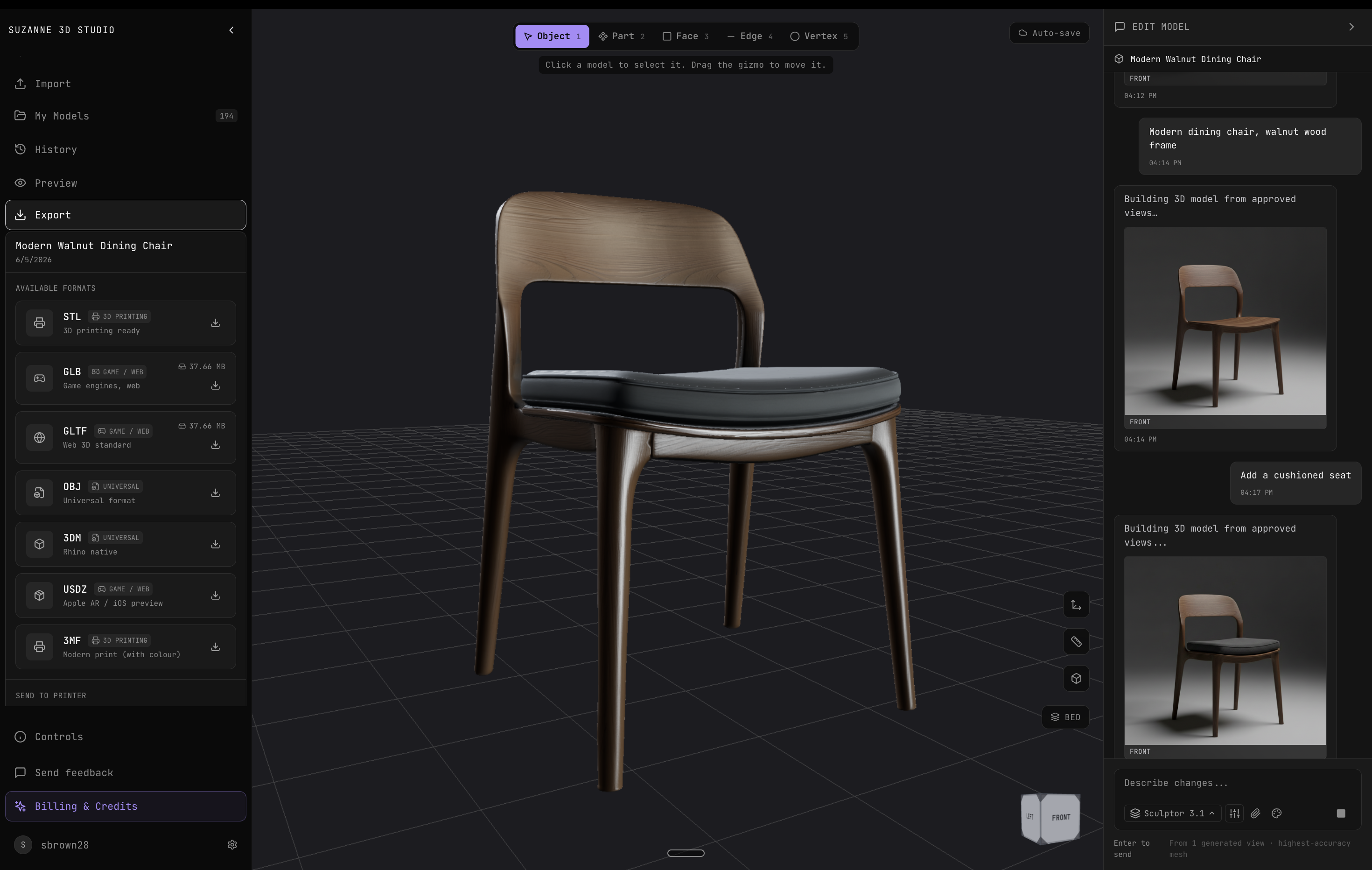
Every generated model can be exported in four formats: STL for 3D printing, GLB for AR, web, and real-time game engines, OBJ for DCC (digital content creation) tools and legacy pipelines, and GLTF for web and mobile.2
An AR and VR mode is listed on the product homepage as coming soon. It will allow users to anchor a generated model to real physical space, scale it, and swap materials live from a headset or phone.1 Compatible devices listed are Apple Vision Pro, Meta Quest 3, Microsoft HoloLens 2, iOS, and Android.1
Suzanne runs on one-time credit packs with no subscription.2 Each model generation costs one credit; iterating on an existing model through the chat interface is free regardless of how many passes it takes.2 New accounts receive two free credits without requiring a credit card.2 Credits do not expire after purchase. Checkout is handled by Stripe; Suzanne does not handle card details directly.2 Promo codes can be redeemed under Settings → Billing.2
Suzanne is part of the Canopy Spring 2026 cohort at Founders, Inc., the Fort Mason-based venture program in San Francisco. Support is available at help@suzanne3d.studio with a stated response time of under 24 hours on weekdays.2