Computer
Menu terminal in Stump
✽
The computer is the terminal in Stump for name and colour and other labeled options.1
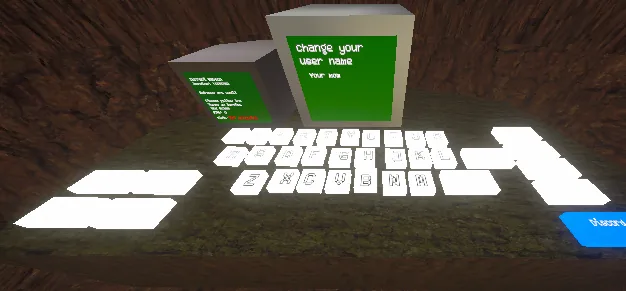
It sits on a counter on your left when you spawn.1 The setup is a green display, a physical keyboard, and labeled buttons around it.3
Name
Start typing on the keyboard and press ENTER when finished.1 The display can show a "Change your user name" screen.3
Colour
Press COLORS on the right side of the keyboard, then choose colours.1
Menu buttons
Labeled controls on the computer include:54
| Control | Where it appears |
|---|---|
| Names | Side menu |
| Colors | Side menu / COLORS on the keyboard |
| Codes | Side menu |
| Credits | Side menu |
| Discord | Side menu (blue Discord control) |
| Music On / Music Off | Nearby toggles |
| Lighting On / Lighting Off | Nearby toggles |
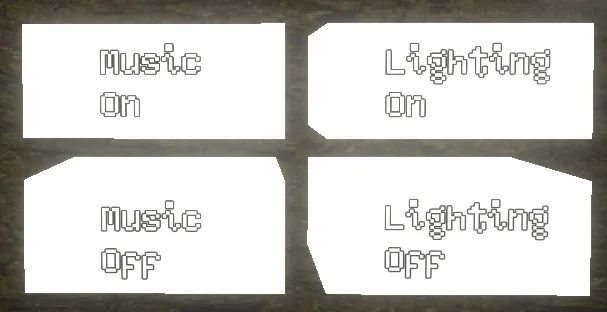
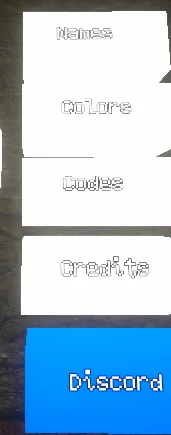
Codes is a labeled computer option. Discord is also an in-game button; the public invite is https://discord.gg/baboon.[@baboon-discord]
See also
References
- Baboon! — Official website(accessed Nov 6, 2026)
- Baboon! Discord invite